7. Student Service General

- Description
- Curriculum
-
1
 Student Dashboard
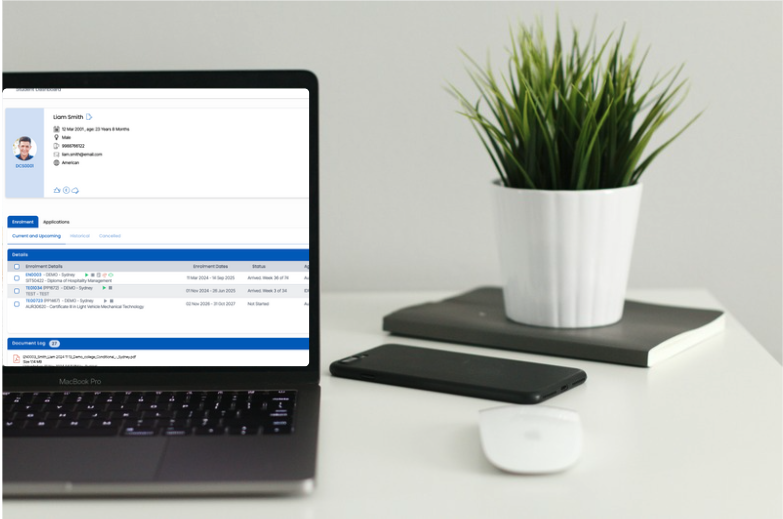
The Student Dashboard provides a complete overview of a student’s information within TEAMS. It displays key details such as contact information, enrolments, applications, compliance records, documents, and communication history. The dashboard also provides quick access to actions like editing student details, managing enrolments, sending communications, and generating documents.
-
2
 Student Dashboard Quiz
 -
3
Edit Student
The lesson explains how users can search for a student using common identifying details such as name, student number, date of birth, or email address, and then access the Student Dashboard to make permitted updates.
-
4
Edit Student Quiz
-
5
Add/Edit Student Address
Learn how to add or update a student’s AVETMISS, local, and mailing addresses in TEAMS using the Edit Student Address screen.
-
6
Add/Edit Student Address
-
7
Add/Edit Student Notes
Learn how to add and manage student notes in TEAMS using the Student Dashboard, and understand how saved notes appear as alerts for future reference.
-
8
Add/Edit Student Notes
-
9
Add/Edit Conditions
Learn how Applicant and Student Conditions work in TEAMS, where to add them, how they link to offer letters, and what must be in place for conditions to print correctly.
-
10
Add/Edit Conditions Quiz
-
11
Add/ Edit Holidays
In this lesson, you will learn how to add, edit, and manage Applicant Holidays and Student Holidays in TEAMS, and how holiday settings can affect applications, enrolments, attendance, and subject dates.
-
12
Add/ Edit Holidays Quiz
-
13
Add/Edit Next of Kin
Learn how to add, edit, and manage Next of Kin details for applicants and students, including handling multiple records and distinguishing between Australian and overseas contacts.
-
14
Add/Edit Next of Kin Quiz
-
15
Add/Edit Overseas Information
Learn how to add or update a student’s overseas information in TEAMS, including international contact details, overseas next of kin, healthcare provider details, and OSHC information.
-
16
Add/Edit Overseas Information
-
17
Add/Edit/Delete Account Manager
Learn how to add, update, or remove an Account Manager for applicants and students in TEAMS, including key system rules and limitations.
-
18
Add/Edit/Delete Account Manager
-
19
Add/Edit Visa Information
This lesson provides the foundation for correctly recording and maintaining visa and CoE information in TEAMS so that student and applicant records remain current, accurate, and easy to manage.
-
20
Add/Edit Visa Information Quiz
-
21
Add/Edit Proficiency in English
In this lesson, you will learn how to add or update English Language Proficiency information in TEAMS for both applicants and students.
-
22
Add/Edit Proficiency in English Quiz
-
23
Enrolment Dashboard
This lesson explains the Enrolment Dashboard in TEAMS. You will learn how different tiles on the dashboard provide a summary of enrolment information and allow you to manage enrolment details, compliance, attendance, results, financials, documents, and communication.
-
24
Edit Enrolment
Learn how to edit enrolment details in TEAMS, including enrolment dates, account manager, outcome, enrolment type, student type, AVETMISS exclusion, orientation, and trainer allocation.
-
25
Edit Enrolment
-
26
Overseas Information - Enrolment Dashboard
-
27
Account Managers
Learn how to create, manage, and maintain Account Managers in TEAMS, including linking them to users, campuses, and monitoring their associated enrolments, applications, and agents.
-
28
Account Managers Quiz
-
29
Add/Edit Employer Tracking
Learn how to use the Employer Tracking screen in TEAMS to link employers to applications or enrolments for funded contracts and work placements.
-
30
Add/Edit Employer Tracking
-
31
Add/Edit Agent
Learn how to add or update an agent in TEAMS from the Enrolment Dashboard using the Student and Agent tabs.
-
32
Add/Edit Agent